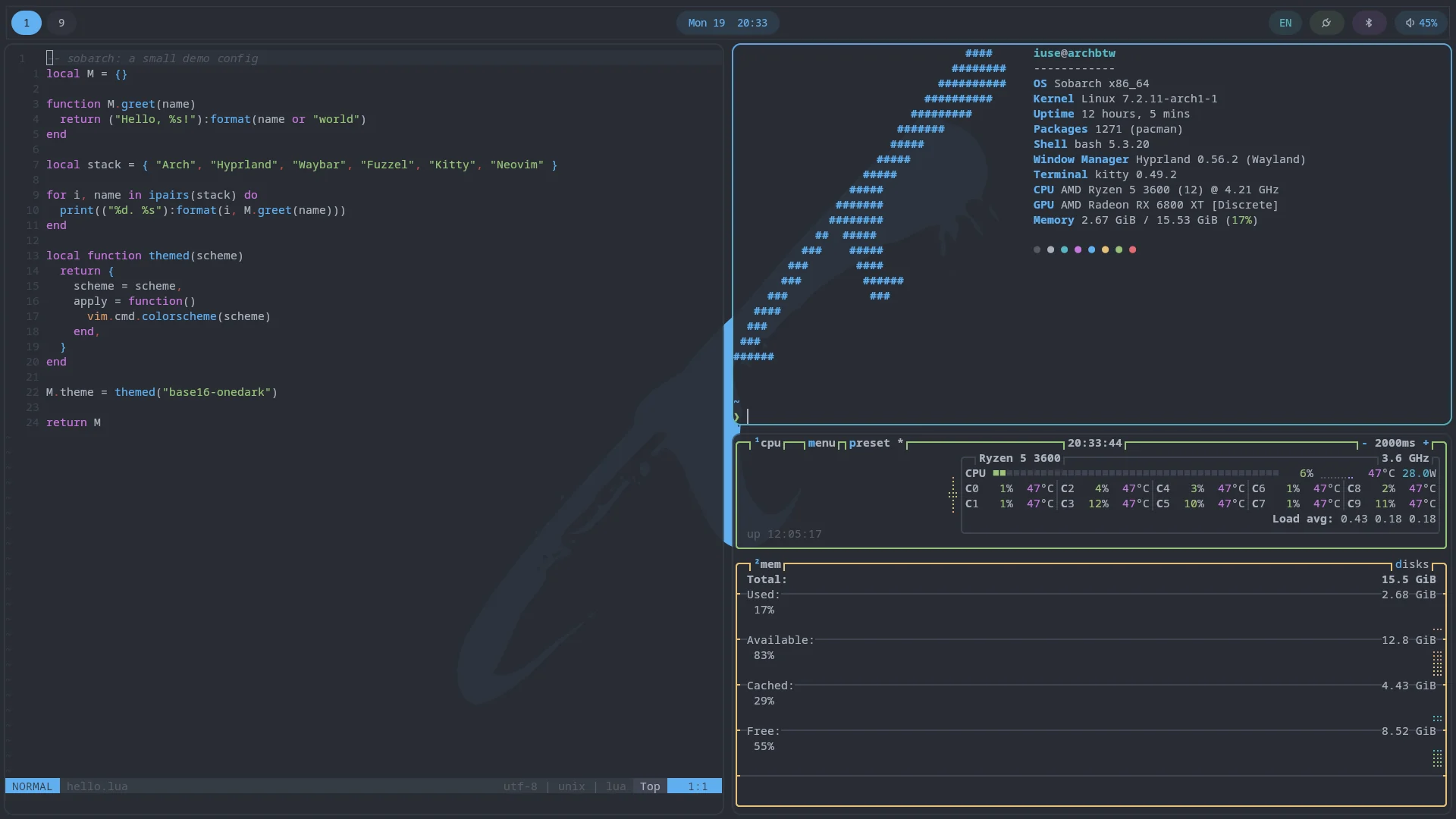
A Hyprland desktop for Arch Linux: installer, versioned configuration, and package tooling in one repo. Every feature comes from the smallest tool that can deliver it, never from pulling in a foreign desktop environment's framework to get there.
The prebuilt ISO is published monthly on the latest release. Already booted into a stock Arch ISO? Run this instead:
curl -fsSL http://installsobarch.antoinepoulin.com | bash// philosophy
A modern desktop needs a secrets store, a polkit agent, network management, and a video editor, among other things. Sobarch picks whichever tool delivers each of those without dragging in a whole foreign desktop environment's framework: oo7 instead of KWallet, hyprpolkitagent instead of polkit-kde-agent, a NetworkManager-driven fuzzel menu instead of a GUI applet, Shotcut instead of Kdenlive. Same capability, a fraction of what's actually installed.
One installer and one set of versioned configs make rebuilding a machine from scratch the normal way to make a change, not a last resort. Every app's config is generated from the same base16/base24 color scheme via tinty, so picking a new theme from the built-in menu recolors the terminal, bar, launcher, and editor together, not one app at a time.
// included
Hyprland, Waybar, Mako, Fuzzel, Kitty, and ly, with hyprlock/hypridle/hyprpaper/hyprshot/hyprpicker for locking, idle handling, wallpapers, and screenshots. GPU driver selection, including NVIDIA generation detection, is automatic at install time.
BTRFS root snapshots via Snapper show up as their own entries directly in the Limine boot menu, and a dedicated on-disk partition carries a spare Arch ISO so a rollback works even if the installed system won't boot.
A default-deny nftables firewall and a locked root account ship out of the box. SSH stays off unless enabled during install.
A Fuzzel menu on the Super key handles everyday tasks: updating the whole system, resolving config merge conflicts, installing apps, switching themes and wallpapers, setting default apps, managing audio, Wi-Fi, Bluetooth and firmware, and refreshing the rescue ISO. The same actions are available from the terminal through the sobarch command.
// profiles
Applied after first boot, left unchecked by default. Take a whole profile, hand-pick packages from it, or skip it entirely.