Keybindings
Every real bind is tagged directly in the Hyprland config it's defined in, so the on-screen cheat sheet can't drift far from what's actually bound.
General
| Keybind | Action |
|---|---|
Super+T | Open terminal |
Super+C | Close focused window |
Super+M | Exit the Hyprland session |
Super+E | Open file manager |
Super+B | Open browser |
Super+V | Toggle floating |
Super+F | Toggle fullscreen |
Super+Shift+T | Toggle split direction |
Super+Ctrl+L | Lock screen |
Super+P | Pick a color, copied to the clipboard |
Super+D | Toggle do-not-disturb |
Menus
| Keybind | Action |
|---|---|
Super (tap) | Open the main menu (ignored while a window is fullscreen) |
Super+A | Open the audio menu |
Super+N | Open the network menu |
Super+Shift+B | Open the Bluetooth menu |
Super+Shift+F | Open the firmware menu |
Super+/ | Show this cheat sheet |
Windows and workspaces
| Keybind | Action |
|---|---|
Super+H/J/K/L | Focus window left/down/up/right |
Super+Shift+H/J/K/L | Move window left/down/up/right |
Super+0-9 | Switch to workspace N |
Super+Shift+0-9 | Move window to workspace N |
Super+Scroll | Next/previous workspace |
Super+Drag (left button) | Move window |
Super+Drag (right button) | Resize window |
Workspaces 1 to 10 exist, with 0 reaching workspace 10.
Screenshots and capture
| Keybind | Action |
|---|---|
Print Screen | Screenshot the full output to the clipboard |
Super+S | Screenshot the full output to a file and the clipboard, without grabbing keyboard focus (region capture below does, since it shells out to slurp; this doesn't) |
Super+Shift+S | Screenshot a region to the clipboard |
Super+O | OCR a screen region (English text) to the clipboard |
Super+Shift+O | Scan a QR code or barcode in a region to the clipboard |
Super+Shift+R | Start a screen recording (pick a region), or stop the one in progress. See Screen Recording |
Media and volume
Each action has a media-key bind and a Super-layer bind, for keyboards without media keys.
| Media key | Keybind | Action |
|---|---|---|
Volume Up | Super+= | Raise volume 5%, with an on-screen indicator |
Volume Down | Super+- | Lower volume 5% |
Mute | Super+Shift+- | Toggle mute |
Mic Mute | Super+Shift+= | Toggle mic mute |
Brightness Up | Super+] | Raise brightness 10% |
Brightness Down | Super+[ | Lower brightness 10% |
Media Play/Pause | Super+; | Play or pause |
Media Next | Super+' | Next track |
Media Previous | Super+, | Previous track |
Input method switching (Super+Space) is covered in Input Methods.
The cheat sheet
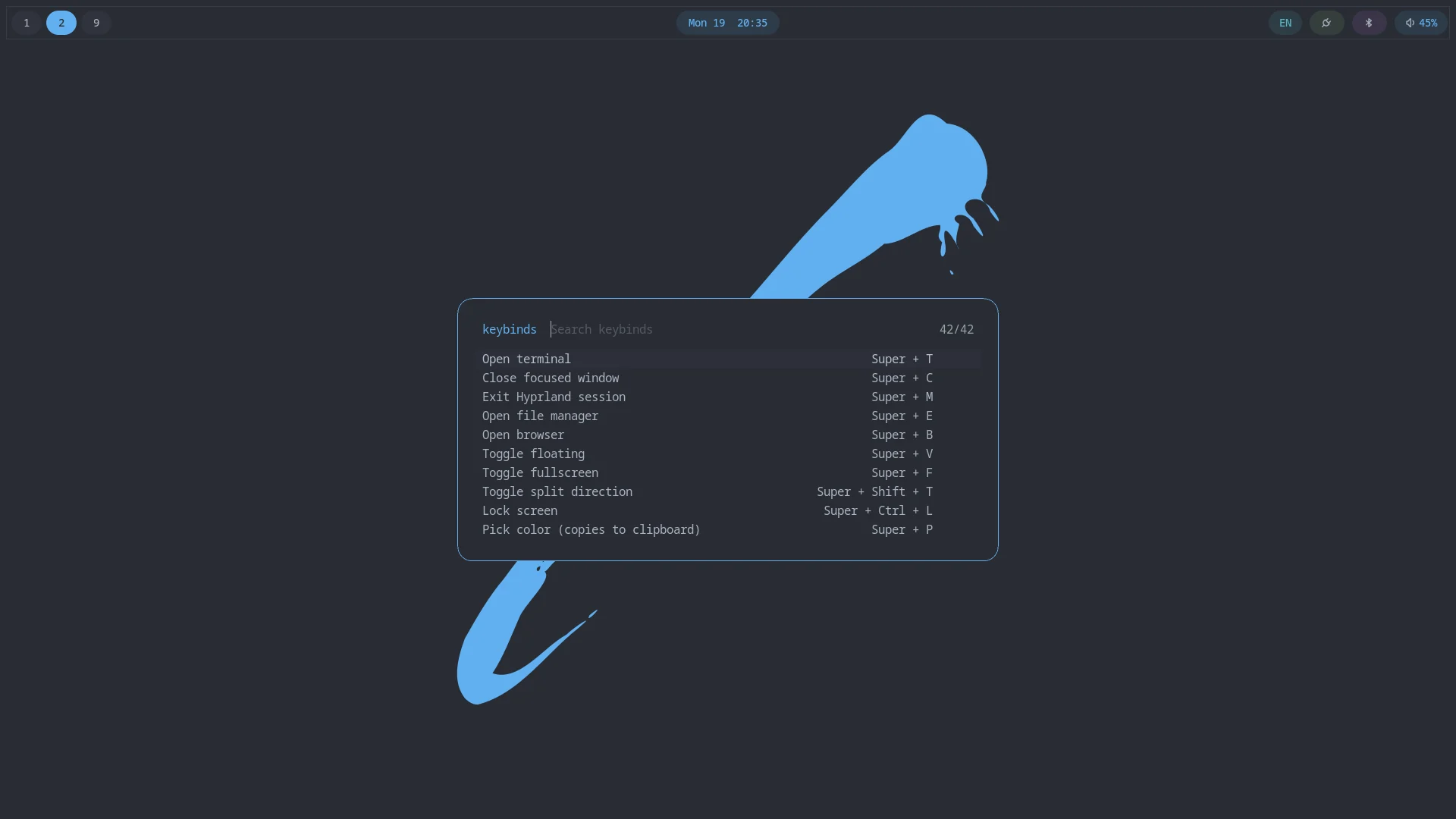
Super+/ opens a fuzzel list built by grepping the Hyprland config for -- kb: <combo> | <description> comments, one per real bind, so the list can't list a bind that doesn't exist or omit one that does. Each row shows the action with its keys on the right, and both are searchable: typing shift or screenshot narrows the list either way. It has a short manual tail for the menus' own keys: fuzzel's vim-style navigation (Ctrl+J/Ctrl+K to move between entries, Ctrl+H/Ctrl+L to move the cursor, Ctrl+D/Ctrl+U to page) and Escape to go back one level, since those come from fuzzel and the menus themselves and have no Hyprland bind to tag.
Rows marked ▸ run their action when you press Enter: the menu closes first, then the command runs, so region screenshots and the other menus open on the desktop rather than over the list. Rows without the mark are reference only. Those are the binds that act on the focused window (close, exit, float, fullscreen, split, focus, move, workspaces) and the cheat sheet itself, which are better pressed than launched from a menu. A bind opts in with a -- run: <shell command> line right after its -- kb: line in keybinds.lua; the command is a copy of what the bind does, so keep the two in step when you edit one.
With Moonlight installed, the list also shows its escape chords (Ctrl+Alt+Shift+Z releases the keyboard and mouse back to your machine, X toggles fullscreen, Q ends the stream). They work even while Moonlight is capturing system shortcuts, so a stream of another sobarch machine never traps you. On a Mac keyboard, Alt is Option.