Theming
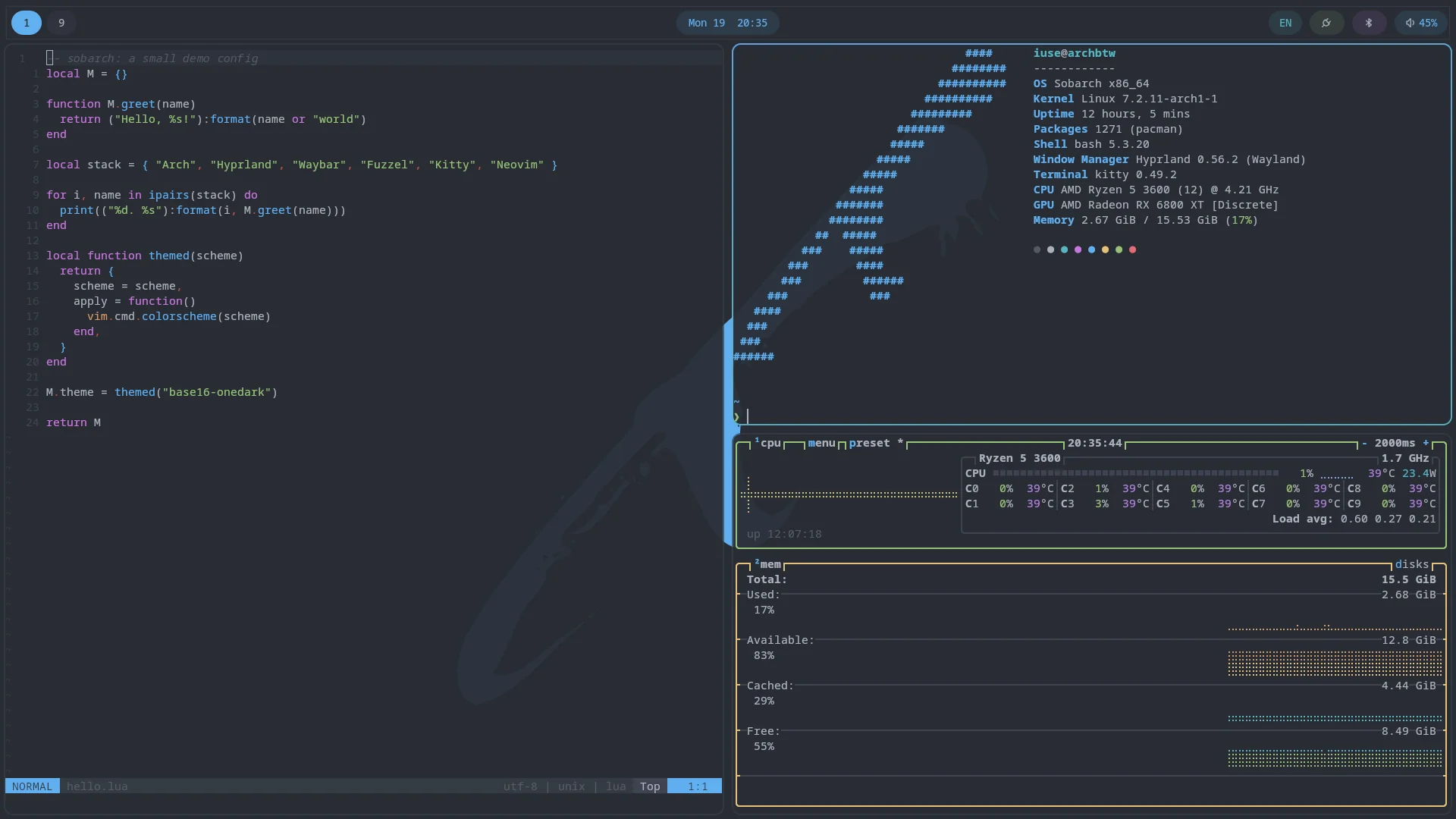
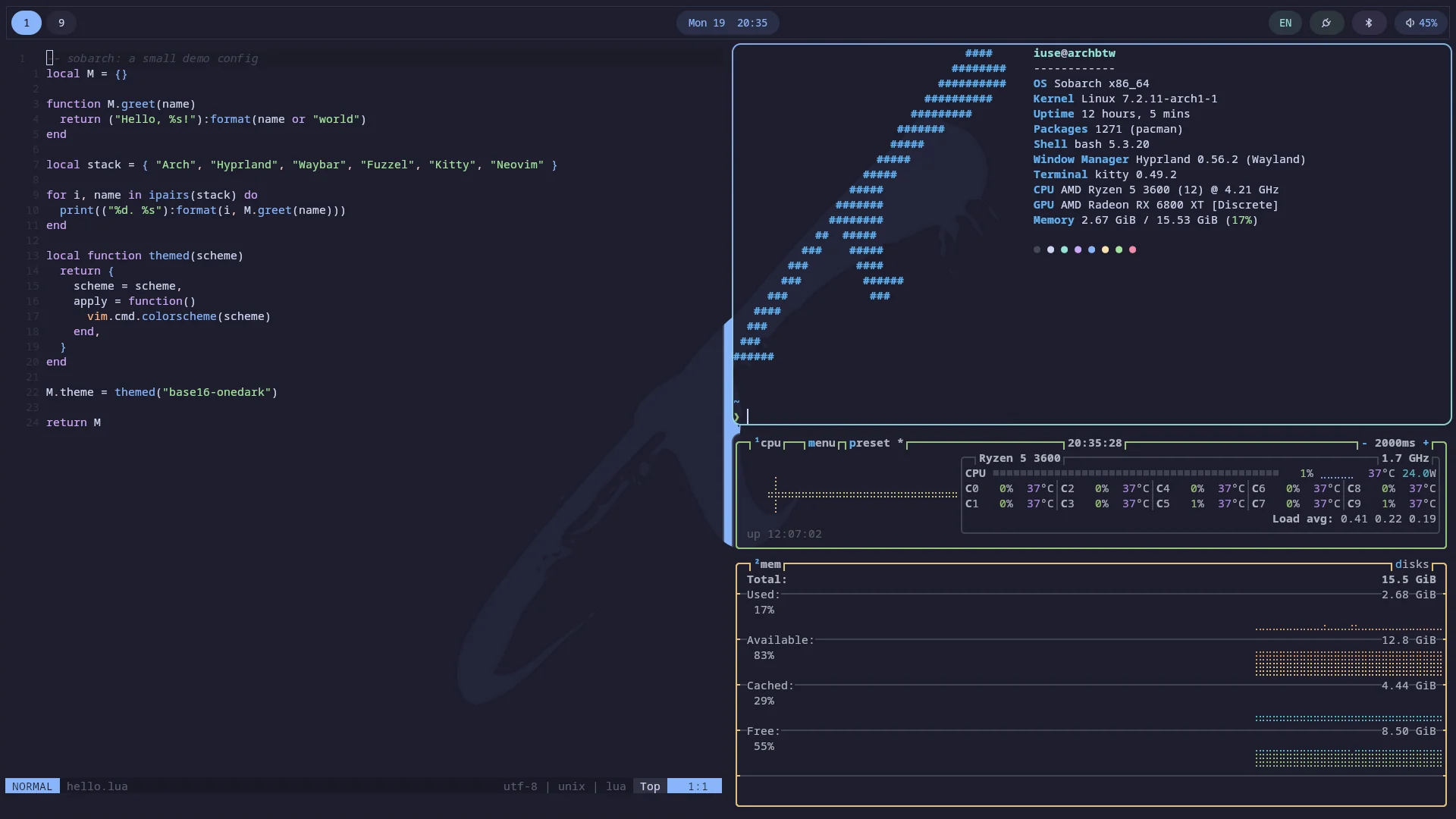
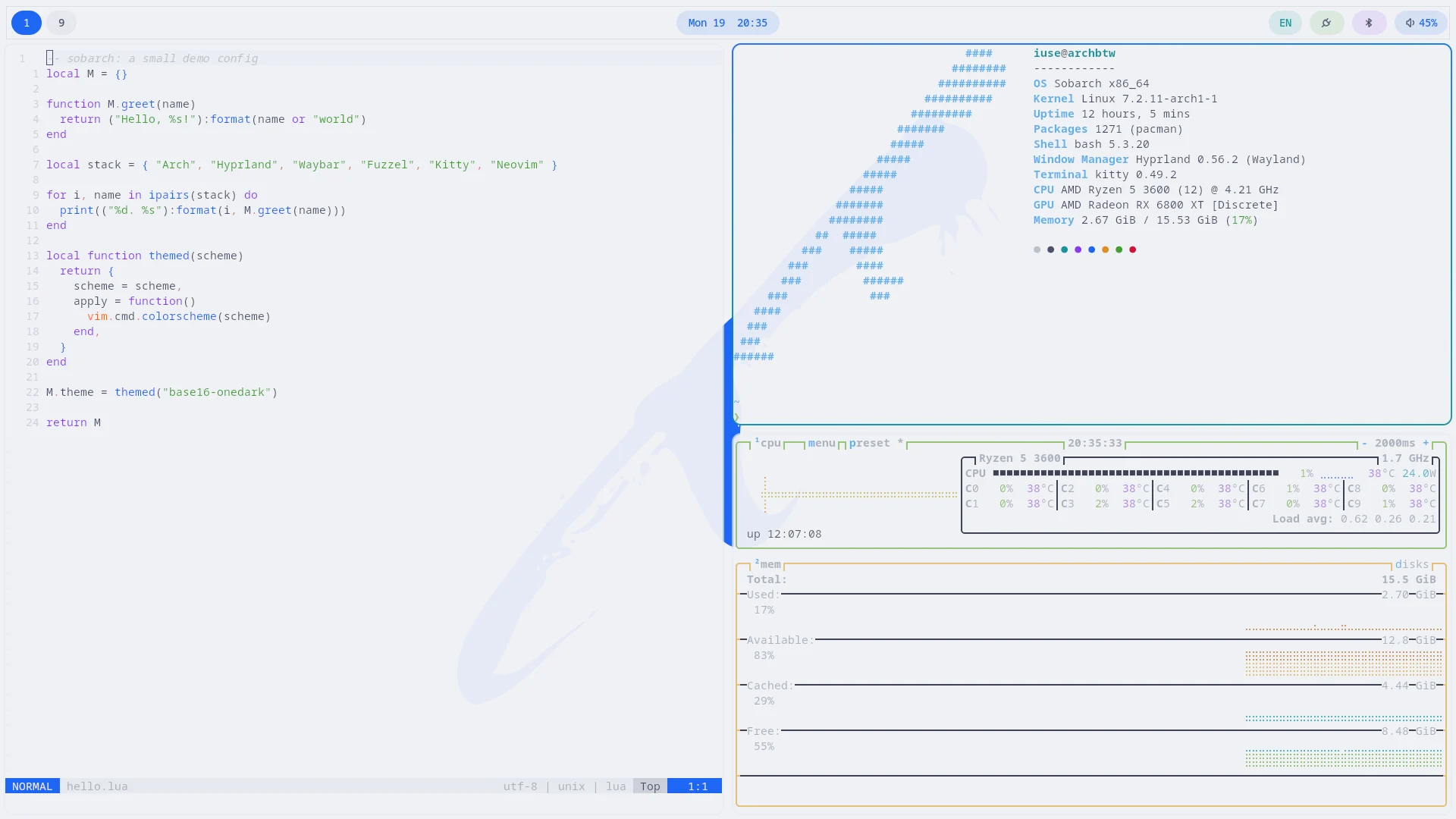
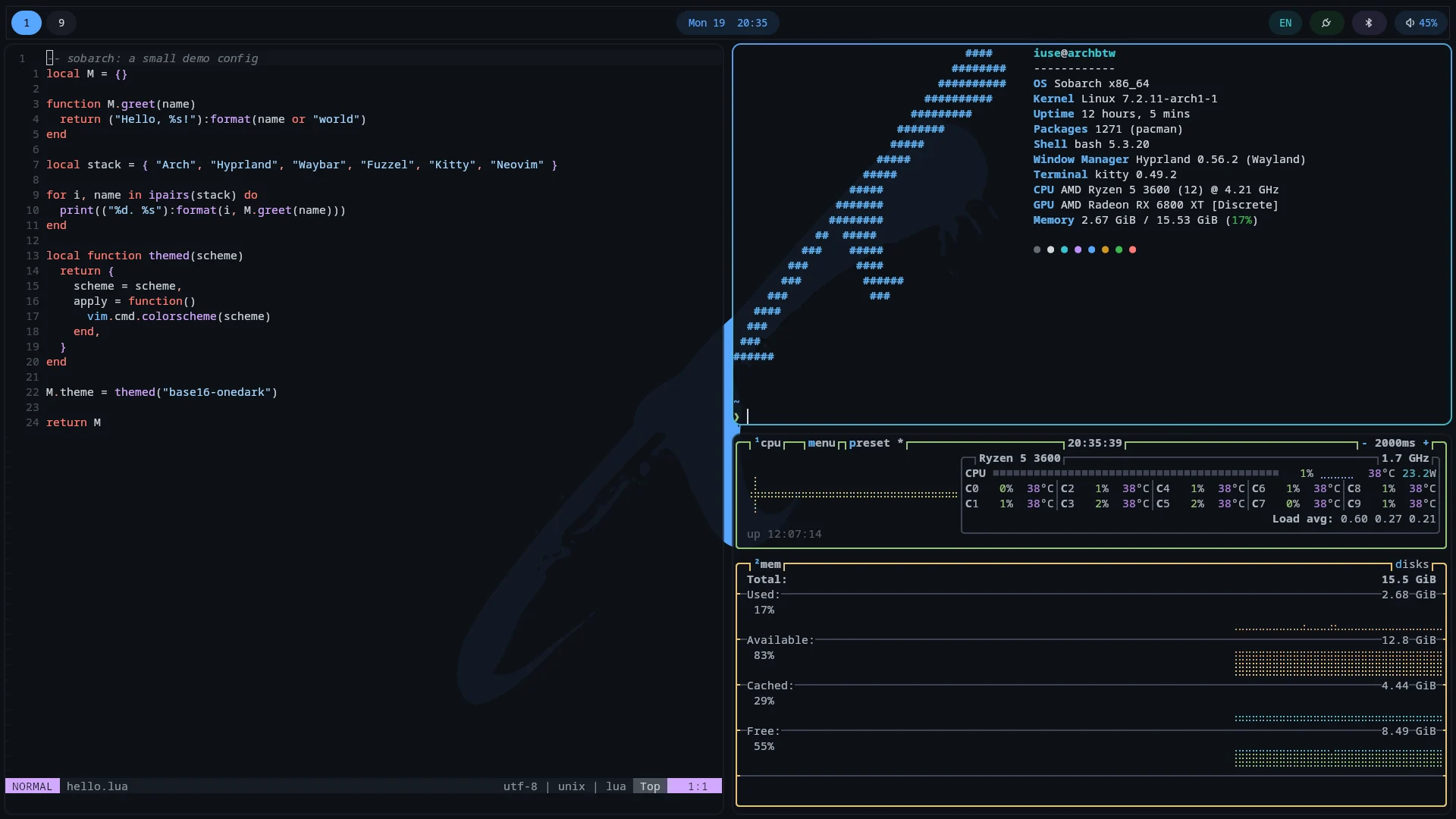
Every themed app reads from one shared color scheme, applied and reloaded together through tinty.
Sobarch themes the desktop through tinty, using the base16/base24 color scheme ecosystem. The default scheme is OneDark, but any base16, base24, or tinted8 scheme installed by tinty can be applied.
Themed apps: Hyprland (window borders), waybar, mako, fuzzel, hyprlock, qt6ct (Qt app colors), starship, fastfetch, btop, Neovim, the desktop wallpaper, the icons shown in the menus, and kitty's terminal colors. GTK apps use the dark adw-gtk3 theme and Papirus-Dark icons, which stay the same whichever scheme is active.
The last applied scheme is re-applied on every login, so it survives restarts. Hyprland's own colors only support base16 schemes; picking a base24 or tinted8 scheme recolors everything else and leaves window border colors as they were.
Switching schemes
Open the theme picker from Super → Sobarch → Theme, or run ~/.config/hypr/scripts/themes-menu.sh directly. It lists every scheme tinty knows about, tagging non-base16 systems for clarity ((24-color), (8-color)), opens on your current scheme (marked current), and applies whichever one you pick. The picker stays open afterward and redraws in the new colors, so you can step through schemes as a live preview and press Escape once you've settled on one. Each entry shows a small four-color swatch. Swatches are generated in the background the first time, so a scheme you haven't seen yet may show as a plain row until the next time you open the picker.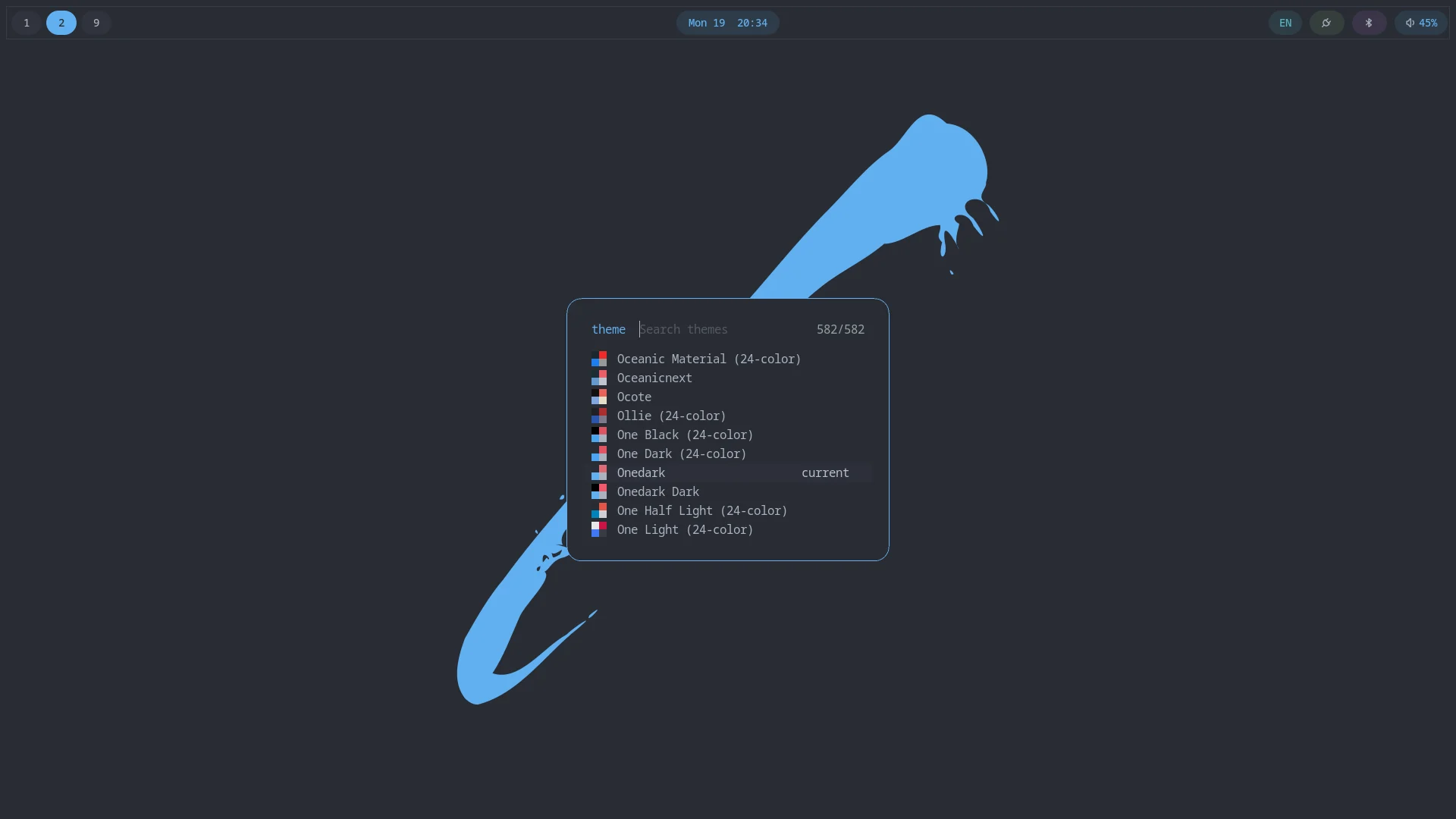
Applying a scheme writes each app's color file and reloads that app: hyprctl reload for Hyprland, makoctl reload for mako, a full restart for waybar (it has no live file-watcher for its own config), and so on. This reload behavior is wired per-app in tinty's own config. The picker itself doesn't need to know about it; it only calls tinty apply.
Adding a scheme
tinty install fetches the schemes on your first login (retried at the next login if you were offline) and again whenever you run Update System, so newly published schemes show up in the picker after an update. Browse the tinted gallery for the full list of available schemes.
Theming other apps
Sobarch themes the apps it ships. Anything else can join the same switch by becoming one more tinty item: a template that produces a color file for each scheme, the path that file is written to when a scheme is applied, and an optional command that reloads the app. Once an item exists, the theme picker applies it with every other app, since the picker only calls tinty apply.
Your own items go in ~/.config/tinted-theming/tinty/local.toml, a file you create. Sobarch's items live in config.base.toml next to it, and config.toml, the file tinty actually reads, is generated from the two. Updates never touch local.toml, and you never edit config.toml (your changes there would be overwritten). If local.toml has a syntax error, it is ignored with a message on the terminal and the Sobarch items keep working.
After editing local.toml or a template, run:
/usr/local/lib/sobarch/build-tinty-templates.sh
tinty apply "$(tinty current)"
The first command regenerates config.toml, installs any new items and renders every local template. Opening the theme picker also regenerates config.toml.
Option 1: use an existing template
Many apps already have a published template. Search the tinted-theming organization (repos named tinted-<app>) and the base16 template list. A template repo holds one prebuilt theme file per scheme, so you only need to point tinty at it. Sobarch's own config.base.toml does this for kitty, and an item in your local.toml looks the same:
[[items]]
path = "https://github.com/tinted-theming/tinted-terminal"
name = "tinted-terminal-kitty"
themes-dir = "themes/kitty"
write-to-file = ["~/.config/kitty/onedark.conf"]
supported-systems = ["base16", "base24", "tinted8"]| Key | Meaning |
|---|---|
path | Git URL of the template repo, or a local directory. |
name | Any unique name. |
themes-dir | Directory inside the repo holding one file per scheme. |
write-to-file | Where the chosen scheme's file is copied. This is the file your app reads. |
hook | Optional shell command run after the file is written, usually a reload. |
supported-systems | Scheme systems this template has files for: base16, base24, tinted8. Schemes of other systems skip the item. |
Put it in local.toml, then run the two commands above to fetch the new item and apply the current scheme.
Then make your app read the written file, usually with an include or source line in its own config (see Wiring the app).
Option 2: write your own template
When no template exists, make a local one. It is a directory with a templates/ folder holding a small config and a mustache file. Sobarch's own local templates live under ~/.config/sobarch/tinty-templates/, and anything you add there is rebuilt by Update System, which also re-renders it after a skel update. This example themes zathura.
Create the template folder:
mkdir -p ~/.config/sobarch/tinty-templates/zathura/templatesTell the builder what to generate, in
zathura/templates/config.yaml. This produces one file per scheme:default: filename: "colors/{{ scheme-system }}-{{ scheme-slug }}.conf" supported-systems: [base16, base24]Write the template, in
zathura/templates/default.mustache. Each{{baseNN-hex}}becomes that color of the scheme, without the#:set default-bg "#{{base00-hex}}" set default-fg "#{{base05-hex}}" set statusbar-bg "#{{base01-hex}}" set statusbar-fg "#{{base04-hex}}" set highlight-color "#{{base0A-hex}}" set highlight-active-color "#{{base0D-hex}}"Register the item in
local.toml:[[items]] path = "~/.config/sobarch/tinty-templates/zathura" name = "my-zathura" themes-dir = "colors" write-to-file = ["~/.config/zathura/colors"] supported-systems = ["base16", "base24"]Render every scheme, register the item and apply, with the two commands from the start of this section.
Make zathura read the file, by adding
include colorsto~/.config/zathura/zathurarc.
From then on the picker recolors zathura with everything else. Re-run build-tinty-templates.sh whenever you edit the template.
Which color goes where
The base16 slots are the same for every scheme, so pick by role and the app follows any scheme:
| Slots | Role |
|---|---|
base00, base01, base02 | Backgrounds: main, lighter (status bars), selection. |
base03 | Comments and muted text. |
base04, base05, base06, base07 | Foregrounds, from dim to bright. |
base08 to base0F | Accents: red, orange, yellow, green, cyan, blue, purple, brown. Use base08 for errors, base0A for warnings, base0B for success and base0D for links and focus. |
Besides {{baseNN-hex}}, templates can use the red, green and blue components ({{baseNN-rgb-r}}, {{baseNN-rgb-g}}, {{baseNN-rgb-b}}) for apps that want rgb() or rgba() values. The full variable list is in the builder specification. Base24 schemes add base10 to base17, and the template above leaves them unused.
Wiring the app
An item only writes a file; the app has to read it. In order of preference:
- The app can include another file (Hyprland, mako, kitty, zathura, most terminals and bars). Add one
include,sourceor@importline to its config pointing at thewrite-to-filepath, and keep the rest of its config yours. This is how Sobarch themes mako: itsconfigincludes~/.config/mako/colors. - The app has no include (single-file configs such as
starship.toml). Make the template the whole file, setwrite-to-fileto the config itself, and move your own settings into the template. Anything you edit in the written file is overwritten on the next apply. - The app reads colors from its own theme directory (btop, for example). Write the file into that directory and select the theme by name once, in the app's settings. Sobarch does this for btop.
Reloading the app
Most apps read colors once at launch. If yours does not reload by itself, add a hook that makes it re-read the file:
hook = "makoctl reload"
hook = "hyprctl reload"
hook = "pkill -USR1 kitty"
Check the app's documentation for a reload command or signal. If it has none, leave hook out and the new colors appear the next time you open the app.
If an app does not change
- Run
tinty apply "$(tinty current)"in a terminal and read its output for errors. - Check that the file at
write-to-fileexists and has the new colors. tinty buildfails or reports no themes: look for a typo in the template'sconfig.yaml, or asupported-systemslist that doesn't match what the template actually generates.- Base24 or tinted8 schemes skip an item whose
supported-systemsdoes not list them, so the app keeps its previous colors. A base16-only template is fine; it just won't follow those schemes.
The same desktop, four schemes
Terminal, waybar, and wallpaper all recolor together, whatever scheme is active: