Neovim
Neovim ships by default, not as a profile pick, with a plain Lua config built on Neovim's own vim.pack plugin manager rather than a third-party one.
The config isn't a distribution like LazyVim: it's a small, from-scratch set of Lua files using Neovim's own built-in vim.pack plugin manager, so there's no separate plugin-manager runtime to learn or update.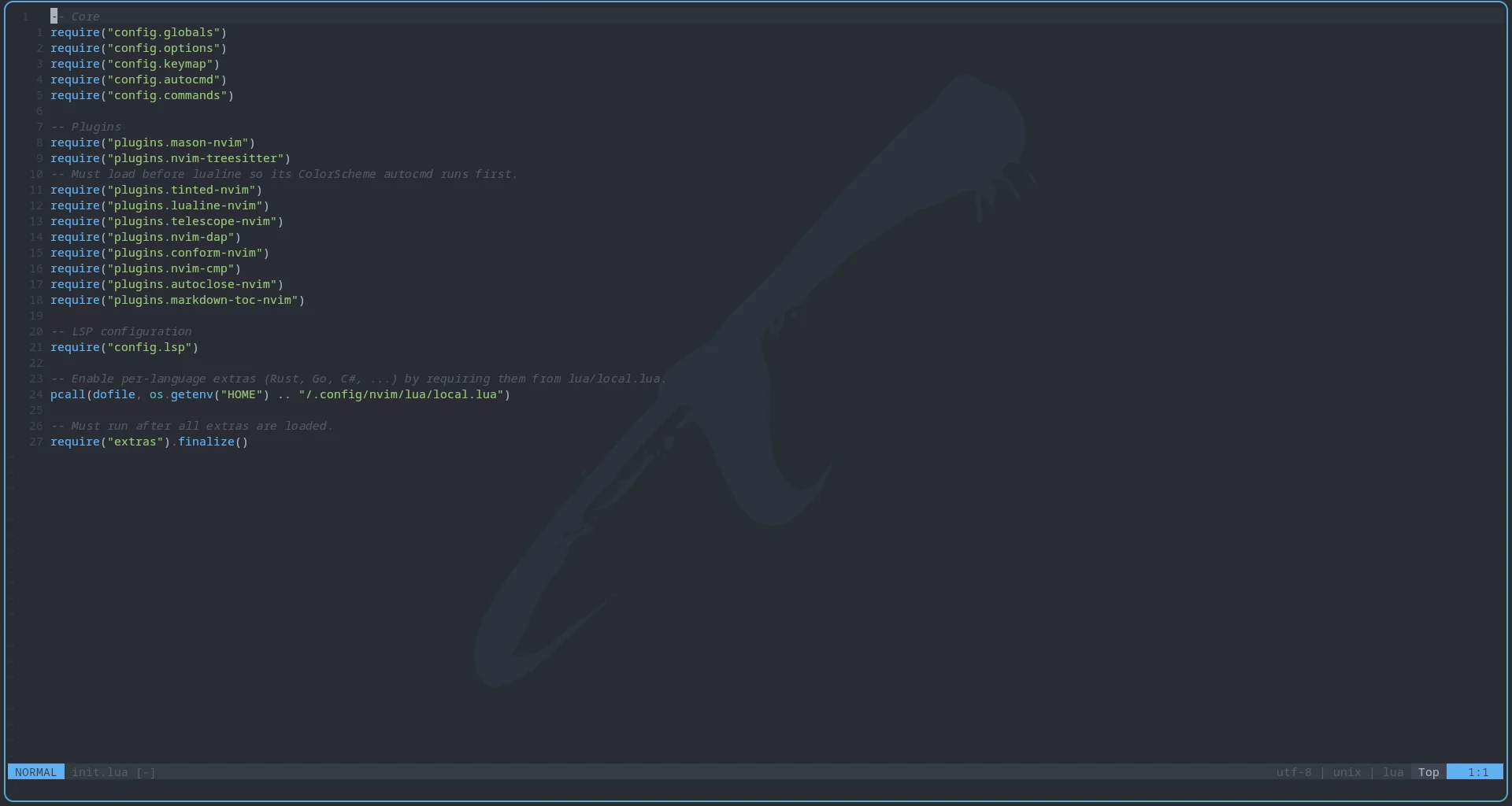
What's included
- mason.nvim installs and manages LSP servers, formatters, and debug adapters on demand.
- nvim-treesitter (pinned to its
masterbranch;luaandmarkdownparsers by default), nvim-cmp with LuaSnip (completion and snippets), nvim-dap with nvim-dap-ui (debugging; the UI opens and closes with the session), and conform.nvim (formatting, on save) handle the rest of the core editing experience. - telescope.nvim (with
fzf-native) for fuzzy finding, lualine.nvim for the statusline, autoclose.nvim and markdown-toc.nvim for smaller conveniences. - tinted-nvim keeps the editor's colors in sync with the desktop's active theme, the same as every other themed app.
LSP servers for lua_ls, rust_analyzer, ts_ls, and gdscript are configured out of the box via Neovim's native vim.lsp.config mechanism. Out of the box Mason installs only lua_ls and stylua; the other servers get installed by the extras below. The gdscript entry connects to a Godot editor that's already running. Inlay hints turn on wherever a server supports them, and diagnostics for the current line are shown inline.
Run :PackUpdate to update every plugin, save the current buffer, and restart Neovim.
Keys
<leader> is Space.
| Key | Action |
|---|---|
K | Hover documentation (with an LSP attached) |
<leader>gd / <leader>gr | Go to definition / references |
<leader>ca | Code actions |
<leader>mp | Format the buffer (also runs on every save) |
<leader>q | Diagnostics into the location list |
<leader>sf / <leader>sg / <leader>sw | Search files / by grep / current word |
<leader>sd / <leader>sr / <leader>s. | Search diagnostics / resume last search / recent files |
<leader>sh / <leader>sk / <leader>ss | Search help / keymaps / Telescope pickers |
<leader><leader> | Switch between open buffers |
Tab / Shift+Tab | Next / previous completion item, or jump through a snippet |
Enter | Accept the selected completion |
F9 | Toggle a breakpoint |
F5 / Shift+F5 | Start or continue / stop debugging |
F10 / F11 / Shift+F11 | Step over / into / out |
Ctrl+Shift+F5 | Restart the debug session |
Esc | Clear search highlighting |
Defaults
Line numbers are shown both absolute and relative. Yanks go to the system clipboard, searches ignore case unless you type a capital, and undo history is saved between sessions. Indentation is four spaces, except two for JavaScript, TypeScript, JSON, CSS, and HTML. Yanked text flashes briefly. Floating windows have rounded borders, and the date snippet inserts today's date (YYYY-MM-DD).
Optional language extras
Rust, Go, Web (JS/TS/CSS/HTML/JSON, formatted with prettier), C# (via Roslyn through roslyn.nvim, with netcoredbg debugging and csharpier formatting), and Godot (GDScript, plus the Godot editor's external-editor hookup and debugging) each have a ready-made extra that adds its own treesitter parsers, Mason-installed LSP servers and formatters, and (for C# and Godot) debug adapters. None of them load by default: create ~/.config/nvim/lua/local.lua and require the ones you want, for example:
require("extras.rust")
require("extras.web")
The available names are extras.rust, extras.go, extras.web, extras.csharp, and extras.godot. After you add one, Mason installs its tools the next time Neovim starts.
local.lua isn't tracked by sobarch's dotfiles or touched by Updating Your System, so it's safe to leave absent or customize freely.