Terminal & Shell
The terminal, shell, and prompt are all plain and well-known on purpose: kitty, bash, and starship, not a bespoke stack to learn.
Super+T opens kitty, the default terminal, using D2CodingLigature Nerd Font Mono and its colors generated by tinty like every other themed app. The window is slightly transparent (95% opacity).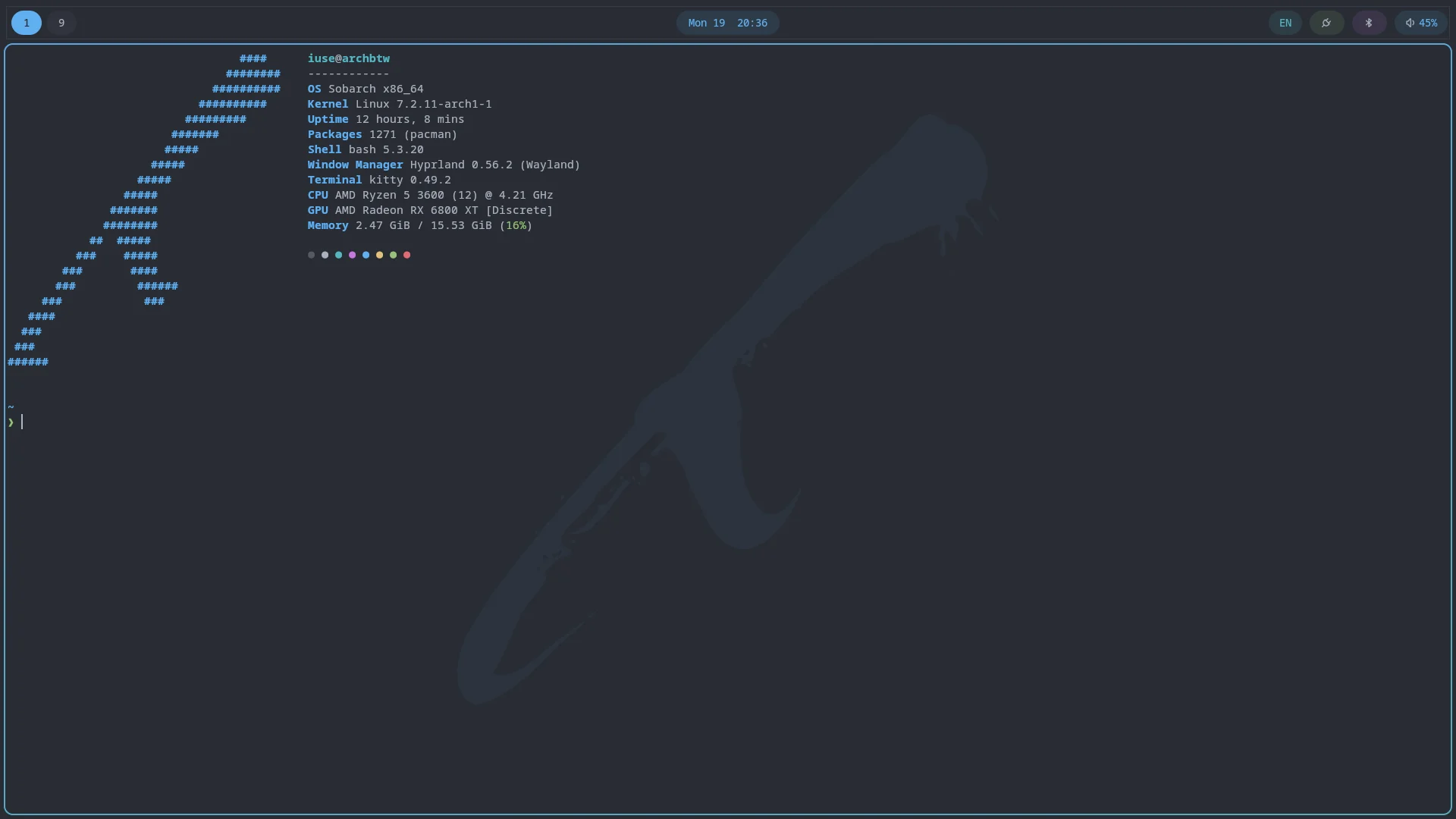
Shell
The default shell is plain bash, not zsh or fish, kept deliberately close to Arch's own defaults: aliases for color output, a plain PS1, and bash-completion if it's installed. Two things extend it:
- ble.sh adds fish-like autosuggestions, syntax highlighting, and history search to bash. It has to be sourced before starship's own init line so starship registers its native ble.sh hook.
- starship is the prompt: directory, git branch and status, and command duration, colored from the same scheme as everything else and reloaded whenever you switch themes.
fastfetch
fastfetch runs once at the start of every new interactive shell, printing the sobarch logo next to the OS, host, kernel, uptime, package count, shell, display, desktop, window manager, terminal, CPU, GPU, memory, disk, and a row of color swatches. Its logo and label colors come from the active theme like everything else. To stop it, remove that line from ~/.bashrc (you'll be offered a merge if a later update touches the same file).
btop
btop is the system monitor: CPU, memory, disks, network, and a process list you can sort, filter, view as a tree, and signal, all on one screen. Run it from a terminal. Its colors come from the active theme; a btop that's already open keeps the old colors until you restart it.
It also shows overall GPU load, memory, temperature, and clocks on NVIDIA GPUs, and load, power, and clocks on Intel ones. AMD GPUs only appear if you install rocm-smi-lib, which pulls in part of the ROCm stack. To see which processes are using the GPU, on any vendor, use nvtop from the System Tuning profile instead.
mise
mise (a dev tool version manager) activates automatically if it's installed, which it is whenever the Developer profile was picked.